WP-Cron runs invisibly in the background, until something breaks. This plugin shows you exactly what's scheduled, when it runs and what's overdue, right inside your WordPress admin.

Key Features
WP-Cron runs silently in the background, which makes it hard to know what's actually scheduled or why a task didn't fire. Cron Viewer puts all of that directly into your WordPress admin, with the detail you need to debug it.Dashboard Integration
Adds a dedicated 'Cron Viewer' page to your WordPress admin menu for easy access.
Complete Task Overview
Lists all pending WP-Cron events with detailed information about each task.
Detailed Information
Shows hook names, arguments, next execution time, and recurrence schedules.
Timezone Aware
Displays run times converted to your site's local timezone for accuracy.
Status Indicators
Visual cues highlight tasks that are overdue or need attention.
Lightweight & Fast
Minimal footprint with no impact on site performance.
Screenshots
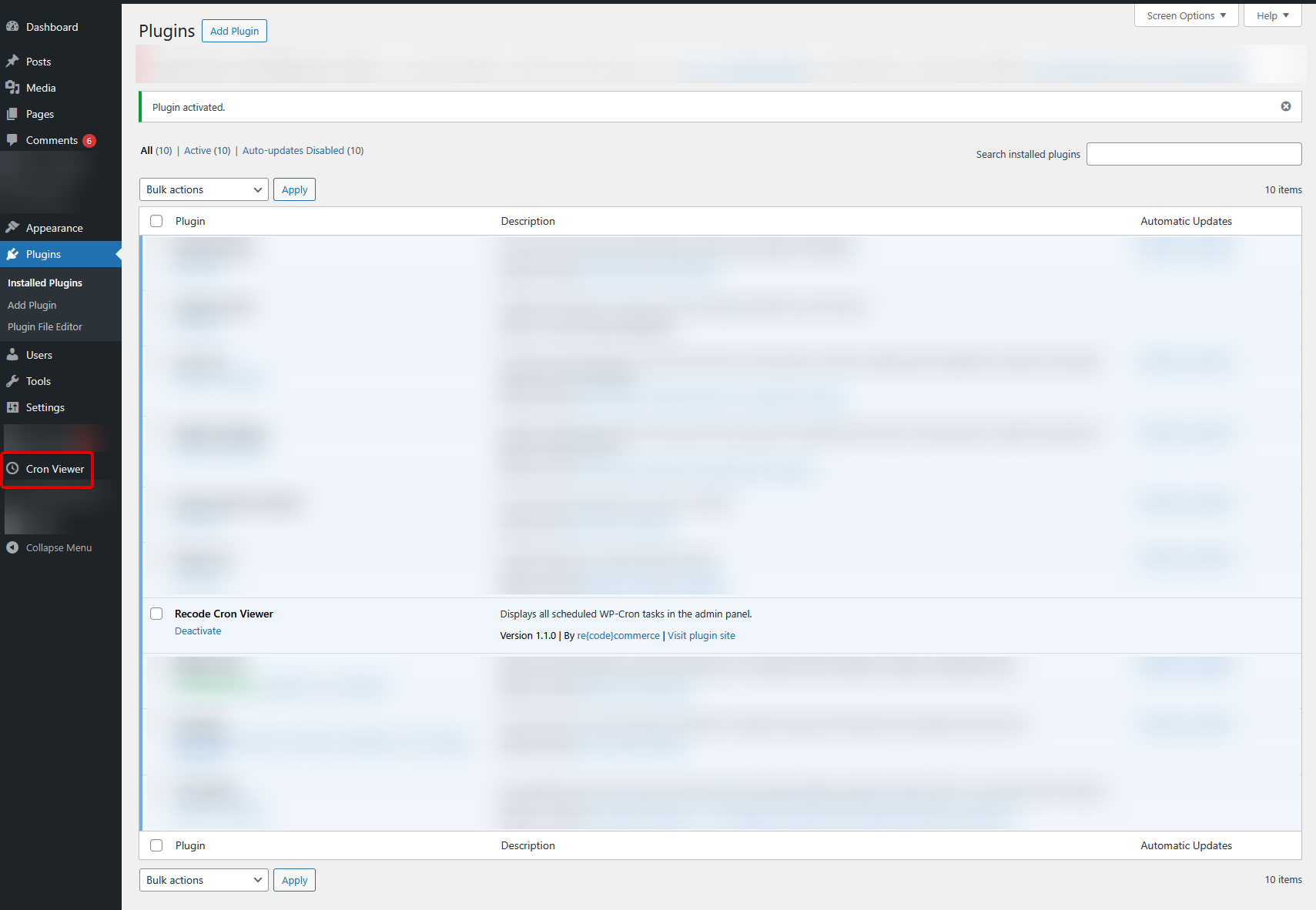
Admin Menu Integration — Find Cron Viewer in your WordPress sidebar
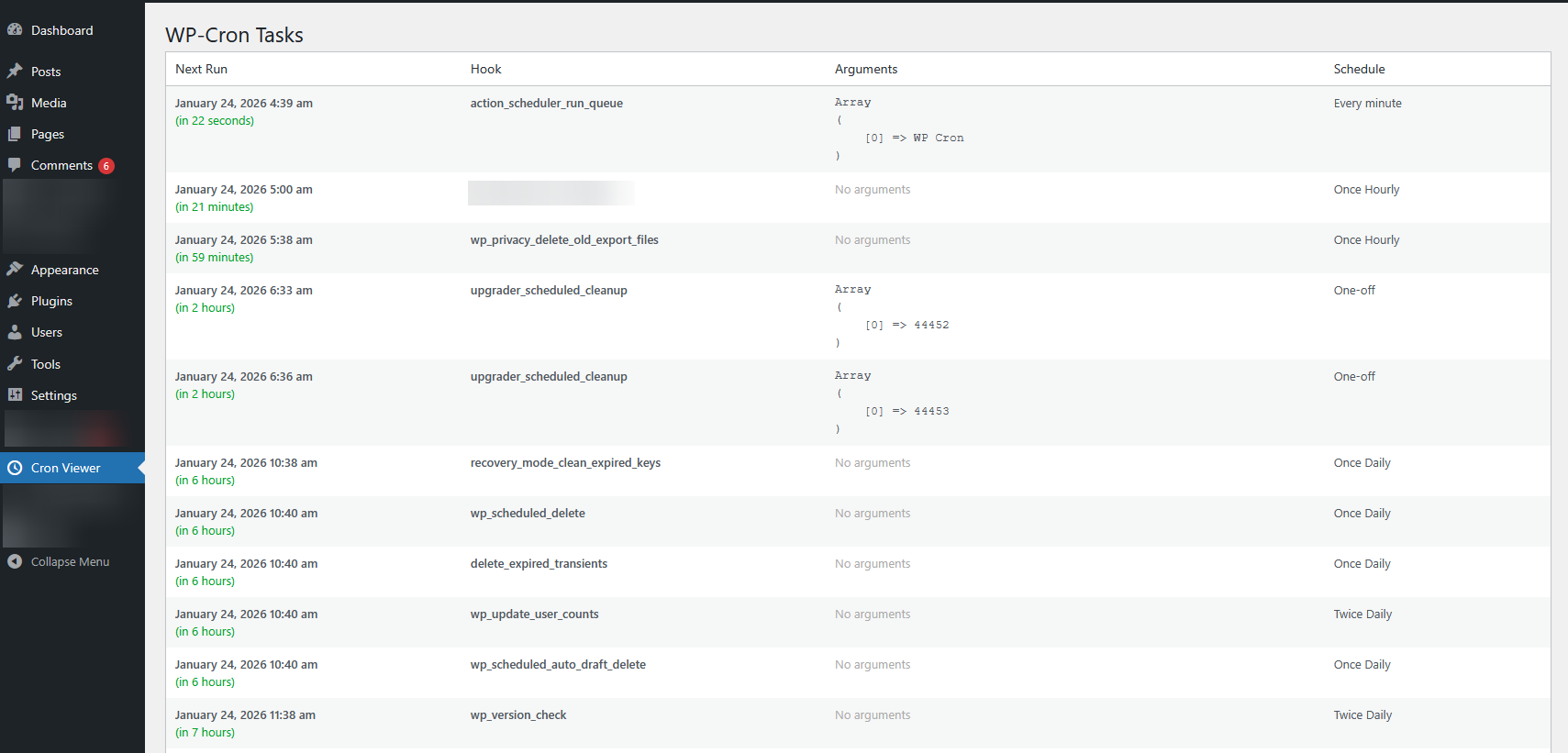
Cron Tasks Dashboard — Complete overview of all scheduled tasks with status indicators
Installation
Manual Upload
- Download the
recode-cron-viewer.zipfile - Go to Plugins → Add New → Upload Plugin
- Select the zip file and click Install Now
- Activate the plugin — find Cron Viewer in your admin sidebar
Requirements
- WordPress 5.0 or higher
- PHP 7.4 or higher
- Standard WordPress WP-Cron functionality
Changelog
- Prepared for WordPress Repository
- Updated tested version to 6.7
- Improved code quality and internationalization
- Improved internationalization support and code quality standards
- Initial release with core functionality
Need Help Debugging a WordPress Issue?
Beyond cron tasks, we handle performance issues, broken integrations, and custom WordPress/WooCommerce development.
Discuss Your Project →