Frontend HTML editor for WordPress — edit post_content directly on the page with live preview.

Key Features
Everything you need to edit content directly on the page — without touching the WordPress admin, without page reloads, and without adding weight to your site.Live In-Place Editing
Click Edit, change HTML, hit Save — page updates instantly without reload
Plain HTML Editor
Lightweight plain textarea — no external dependencies, works in every browser
Format Toolbar
Bold, Italic, Strike, Highlight, Code, Headings, Lists, Links, Images
Keyboard Shortcuts
Ctrl+E (open/close), Ctrl+S (save), Escape (cancel), Ctrl+B/I/K
Element Picker
Click any DOM element to get its CSS selector with breadcrumb navigation
Dark & Light Themes
Dark and Light themes, configurable in Settings
Configurable Selector
Theme presets or custom CSS selector for any content area
Secure by Design
Nonce verification, per-post capability checks, wp_kses_post sanitization
Custom Snippets
Save reusable HTML blocks as toolbar buttons. Use {|} to mark cursor position after insert
Screenshots
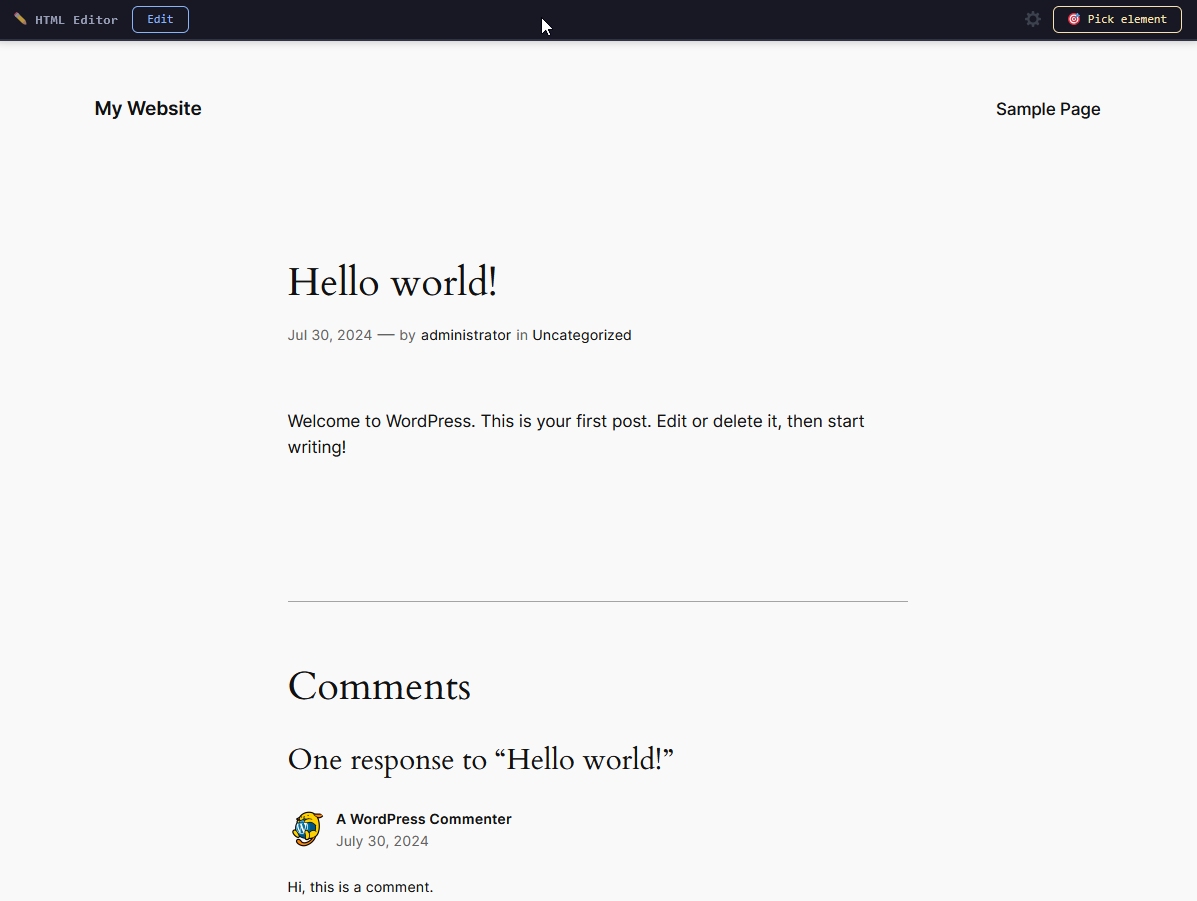
Frontend toolbar in dark theme — Edit and Pick element buttons
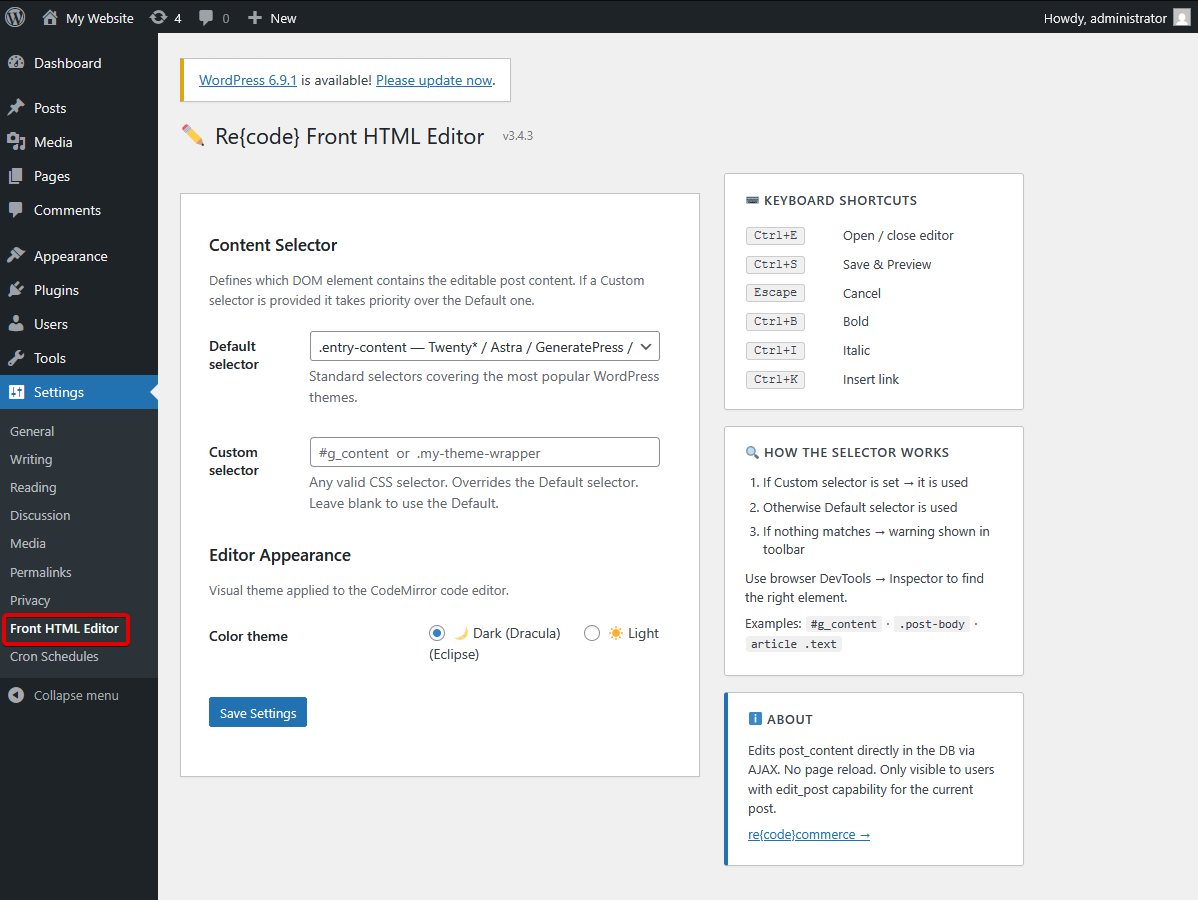
Settings page — content selector, editor theme and keyboard shortcuts reference
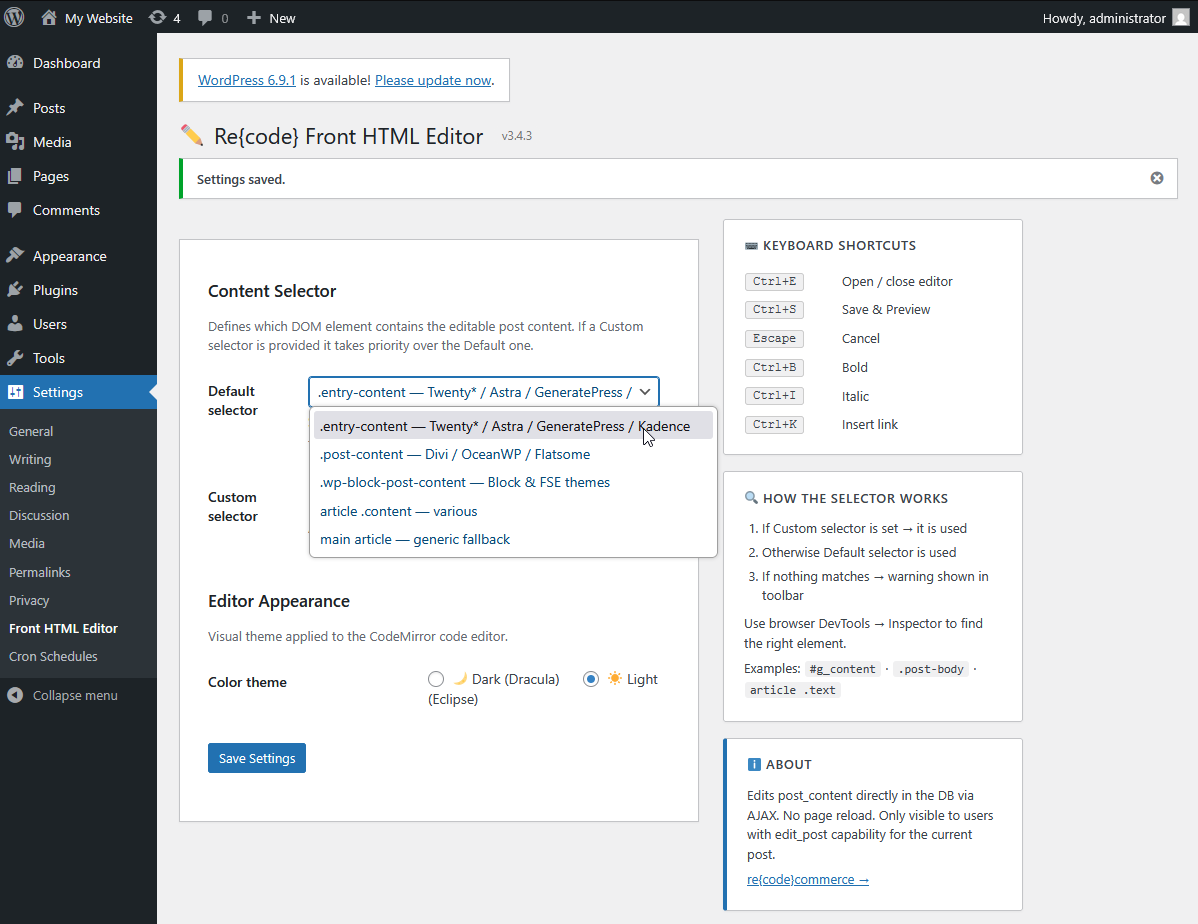
Selector dropdown — presets for Twenty*, Astra, Divi, OceanWP, FSE themes
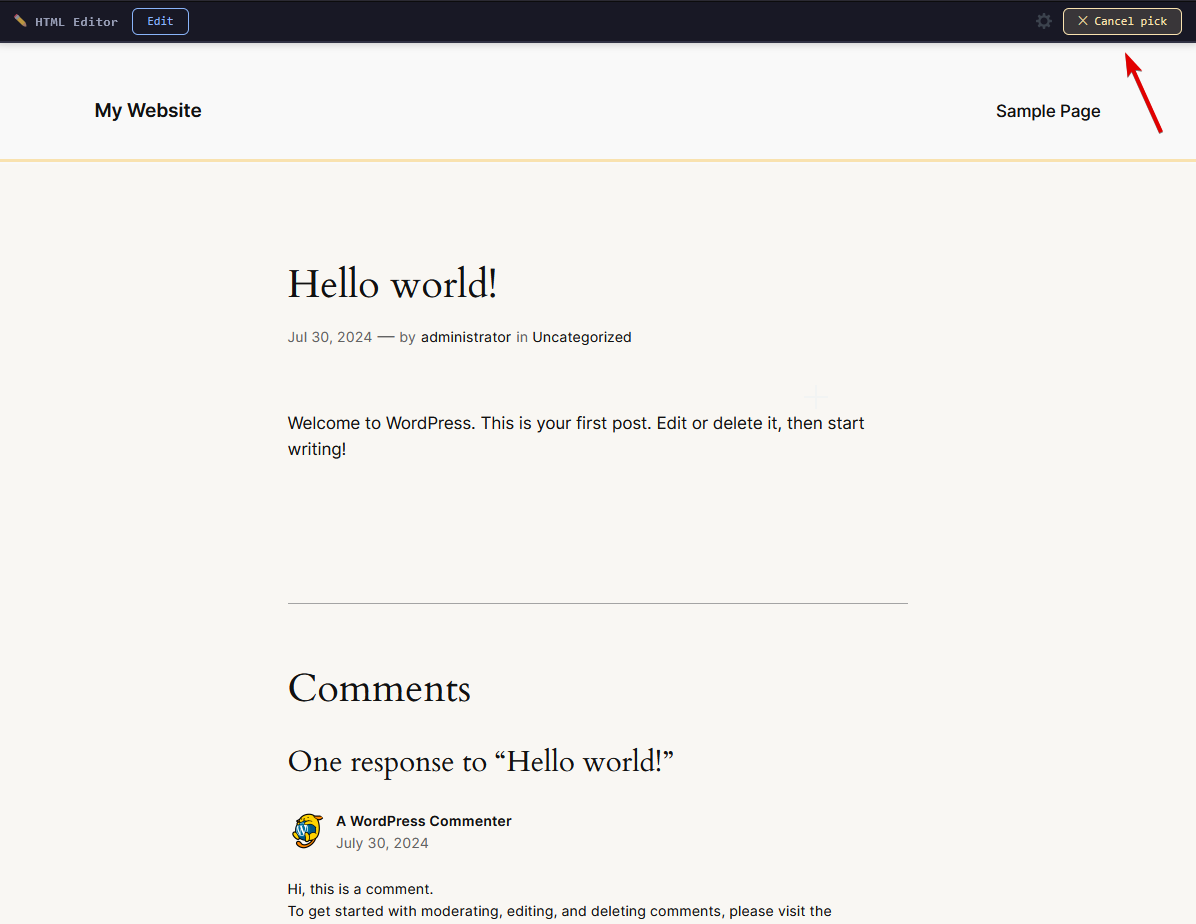
Element Picker mode — hover to highlight any element and capture its selector
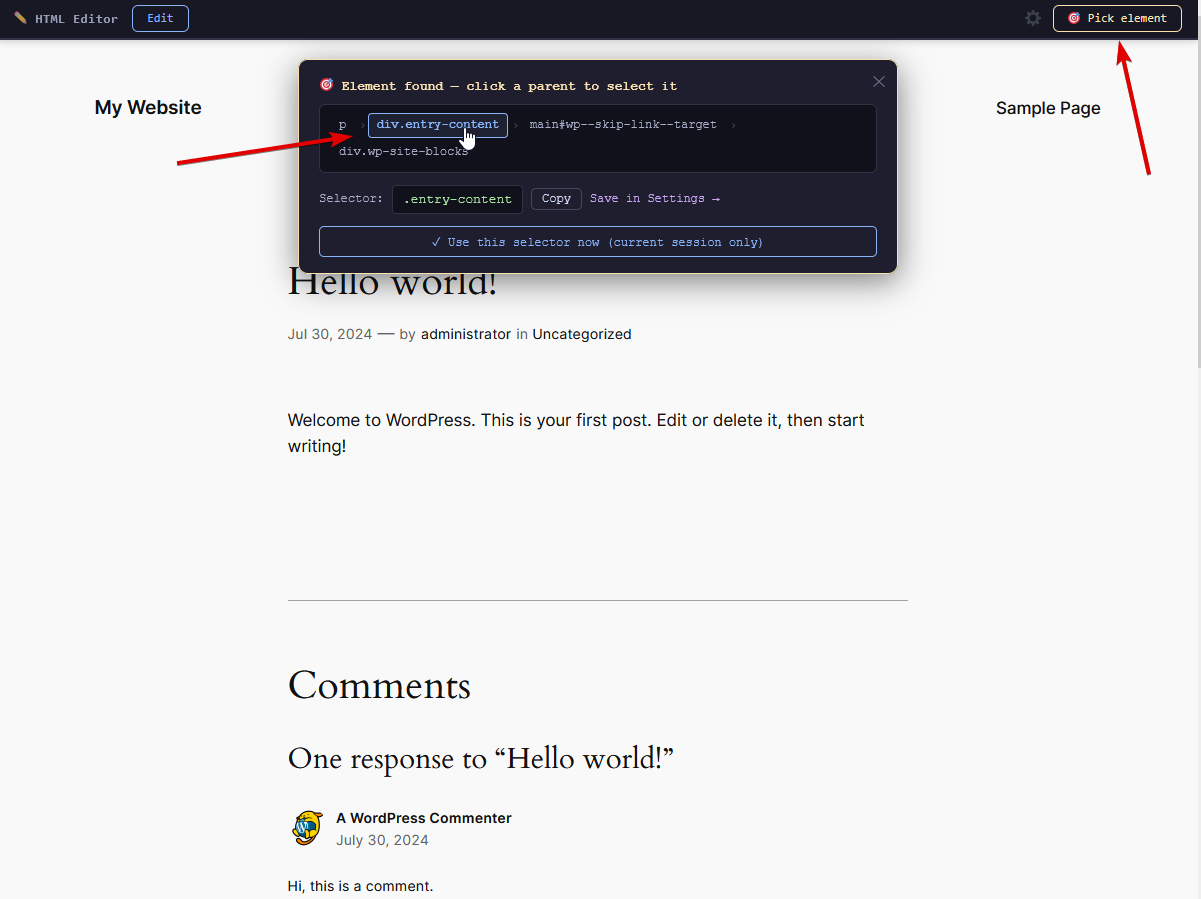
Picker result — breadcrumb ancestor navigation, copy or save selector to Settings
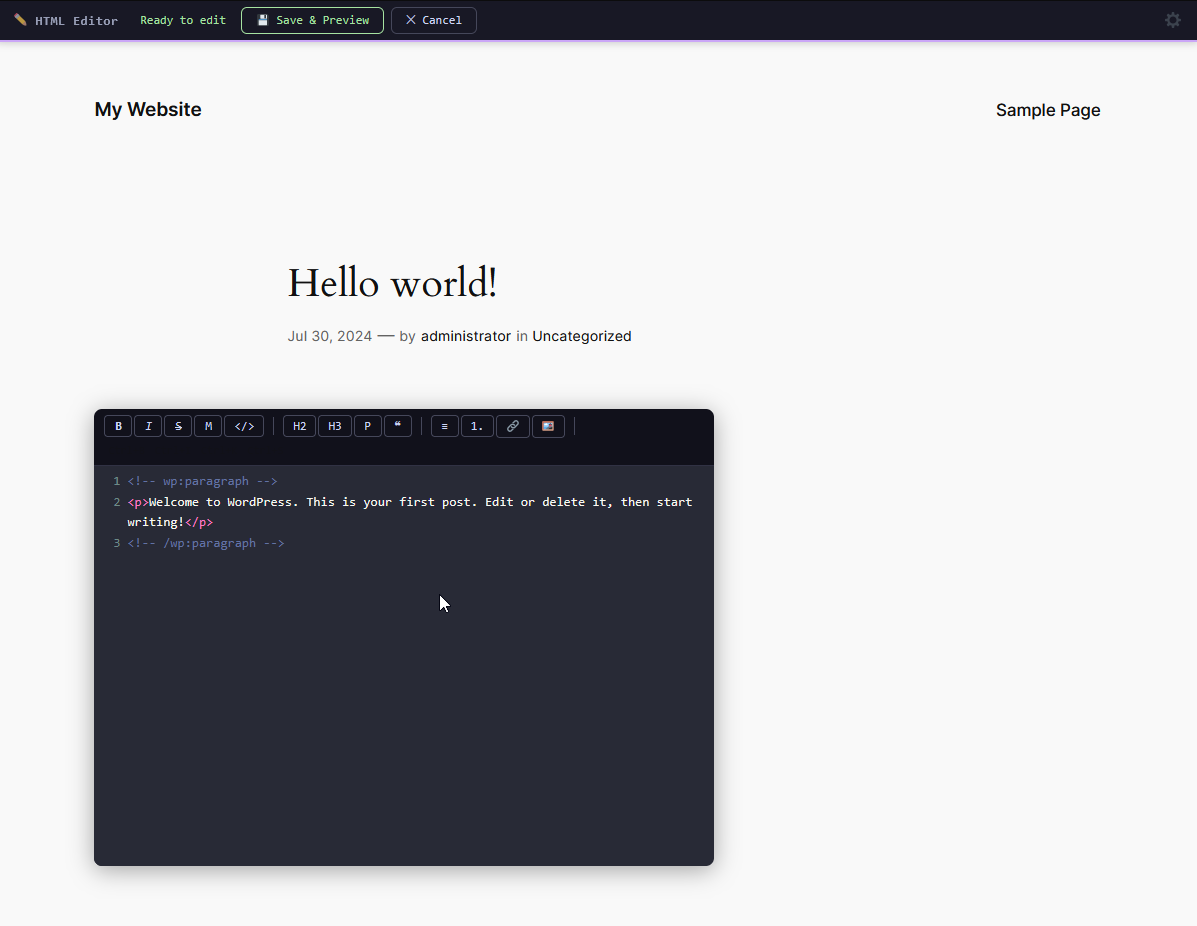
Editor open — dark theme with format toolbar
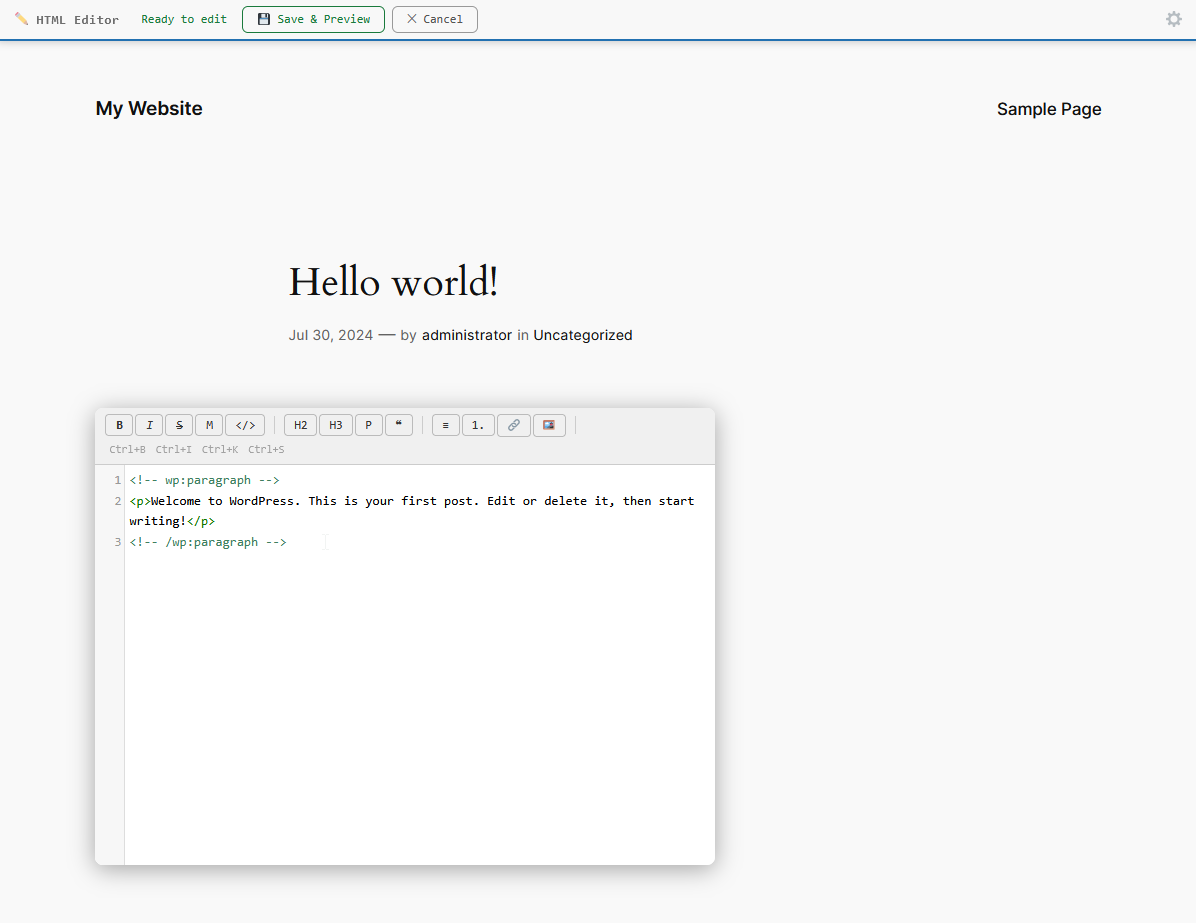
Editor open — light theme
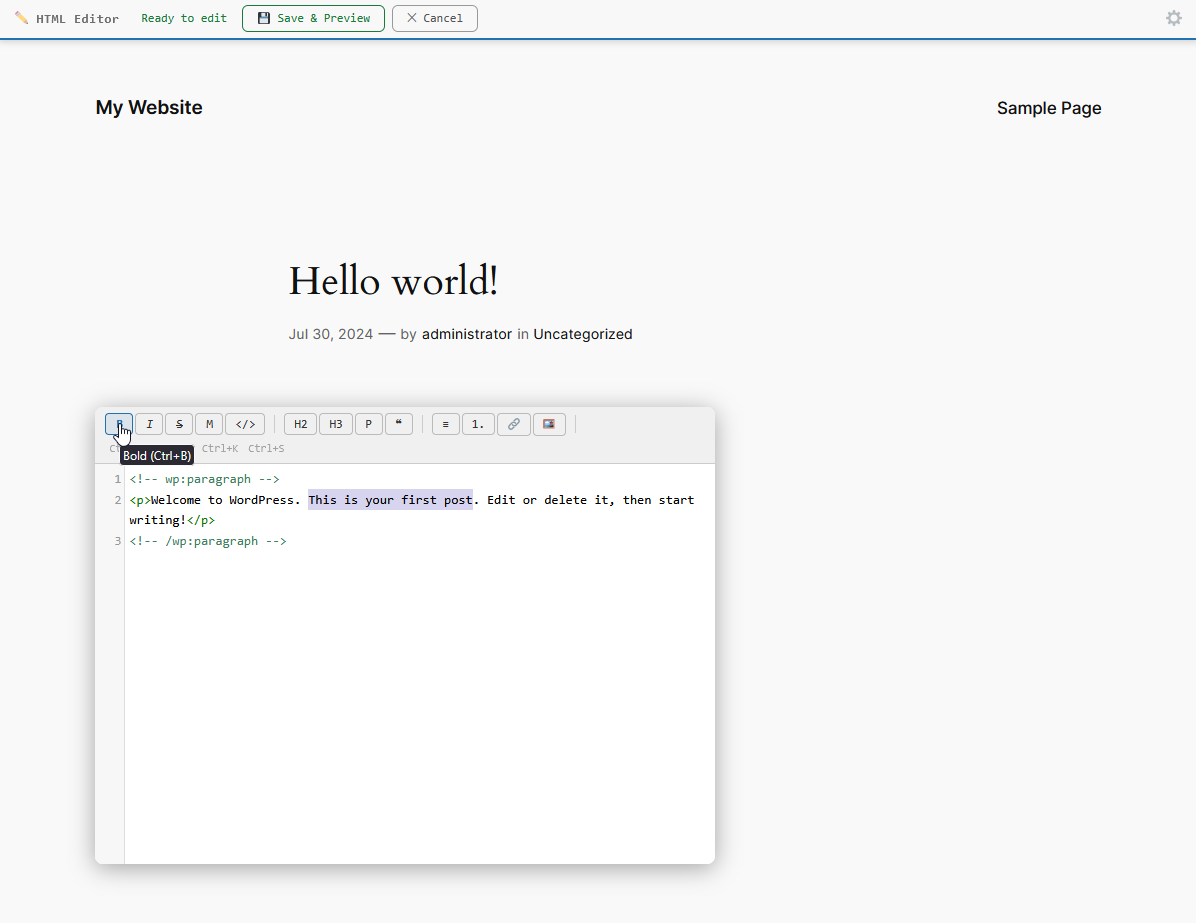
Format toolbar — select text and click Bold (Ctrl+B) to wrap in <strong>
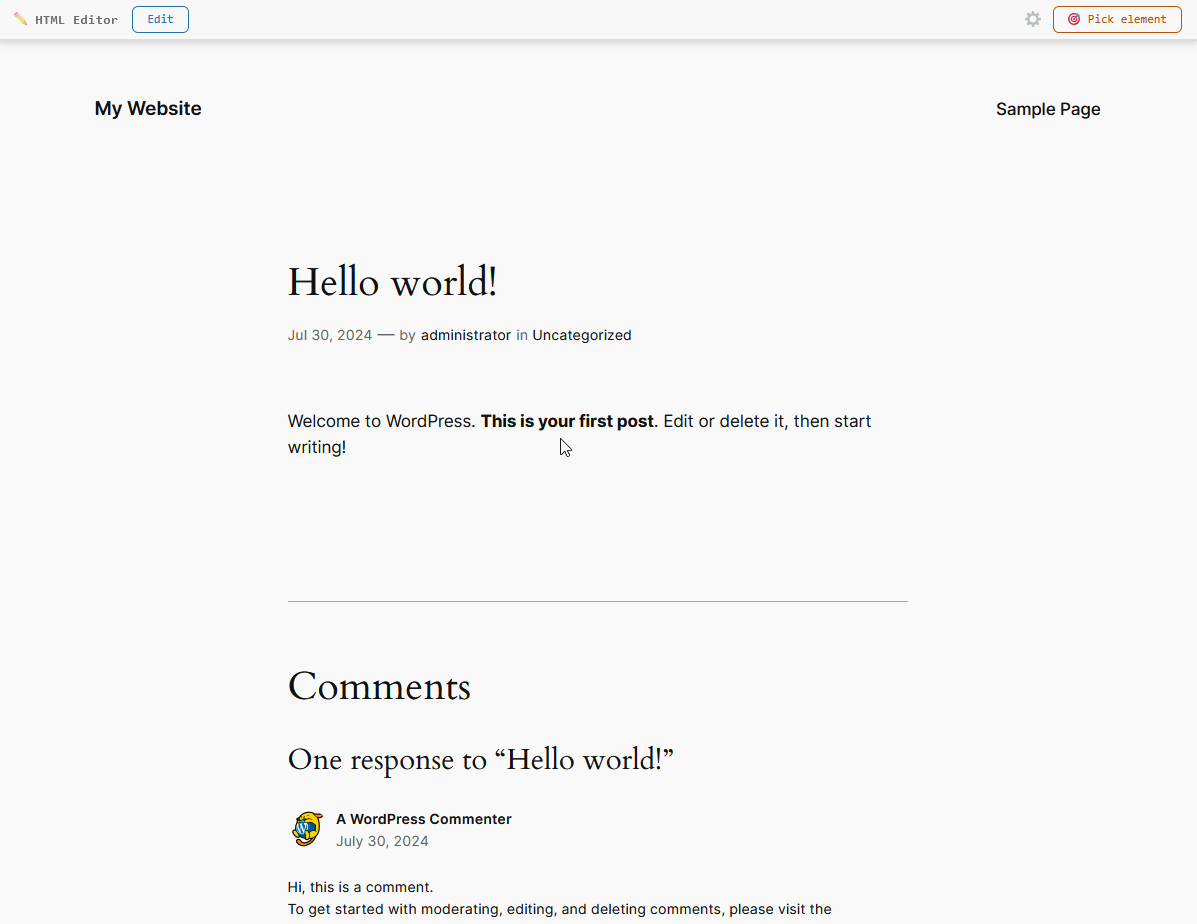
After Save & Preview — changes appear instantly without page reload
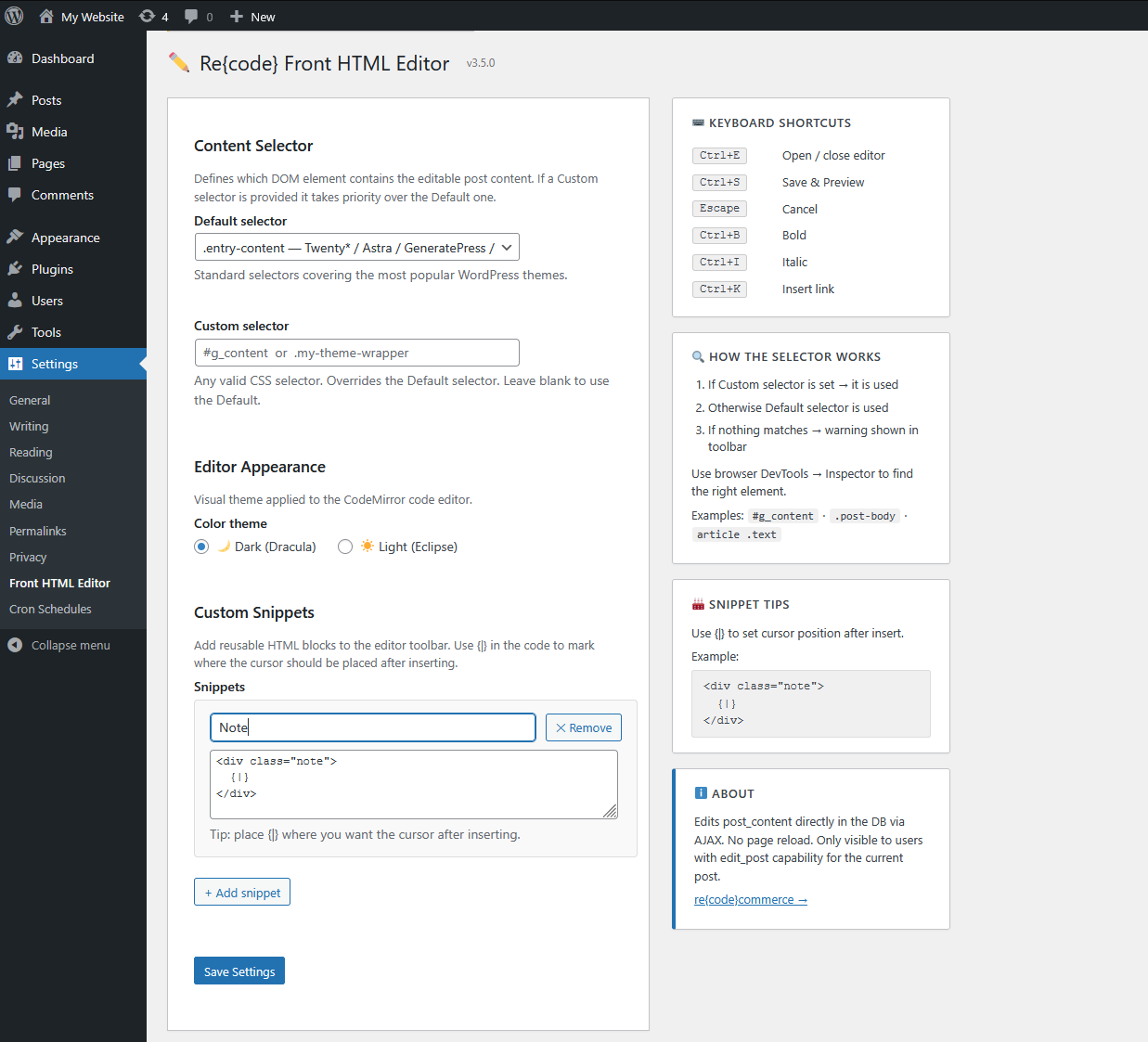
Custom Snippets — Add reusable HTML blocks as toolbar buttons with {|} cursor marker
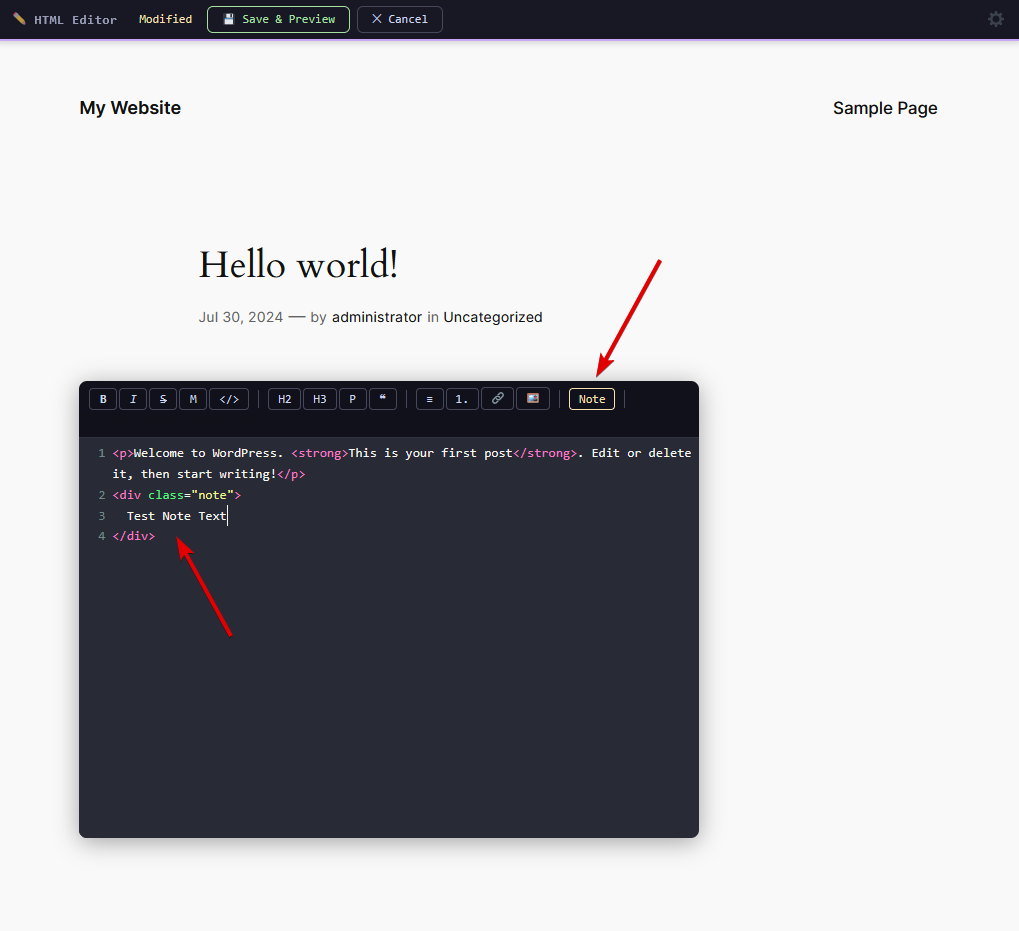
Custom Snippet Button — Amber-colored snippet buttons in the editor toolbar
Installation
Option 1: Manual Upload
- Download the plugin ZIP file
- Upload via Plugins → Add New → Upload Plugin
- Activate — you will be redirected to Settings → Front HTML Editor automatically
Option 2: Git Clone
cd /path/to/wp-content/plugins
git clone https://github.com/recodecommerce/recode-front-html-editor.git
Requirements
- WordPress 5.9 or higher (tested up to 6.9)
- PHP 7.4 or higher
- Modern web browser with JavaScript enabled
- User must have edit_post capability
Frequently Asked Questions
Does this work with block editor (Gutenberg)?
Yes! This plugin works with both Classic and Block editors. It edits the post_content directly on the frontend, regardless of which editor you use in the backend.
Will this slow down my site?
No. Scripts and styles only load on singular posts/pages, and only for logged-in users with edit permissions.
Can I use this with my theme?
Yes! The plugin includes presets for popular themes (Genesis, Divi, Astra, GeneratePress, etc.) and allows custom CSS selectors for any theme.
Changelog
- Added: Redirect to Settings page on plugin activation
- Added: Settings link in the Plugins list
- Fixed: Ctrl+S prevents browser "Save Page" dialog when editor textarea is focused
- Changed: CodeMirror replaced with a plain textarea — no external dependencies, lighter and faster
- Removed: Code/Plain toggle button — single editor mode
- Improved: Snippet cursor positioning fully reliable
- Changed: CodeMirror loaded from WordPress core instead of CDN — no remote files
- Added: Plain textarea toggle mode
- Added: Custom dark/light color themes via CSS
- Fixed: Removed
load_plugin_textdomain()— WordPress 4.6+ loads translations automatically - Fixed: Escaped output in
field_editor_theme()to satisfy Plugin Check requirements - Updated: Tested up to WordPress 6.9
- Added: Custom Snippets — save reusable HTML blocks as toolbar buttons
- Added:
{|}cursor marker — controls where cursor lands after snippet insert - Added: Distinct visual style for snippet buttons (amber color)
- Added Element Picker with ancestor breadcrumb navigation
- Added format toolbar (Bold, Italic, Strikethrough, Highlight, Code, Headings, Lists, Link, Image)
- Added keyboard shortcuts (Ctrl+B, Ctrl+I, Ctrl+K, Ctrl+S, Escape)
- Added dark/light theme support (Dracula / Eclipse)
- Initial public release
Need something this plugin doesn't cover?
We build custom plugins, integrations and features for WordPress and WooCommerce — from payment gateways to complex business logic.
Discuss Your Project →